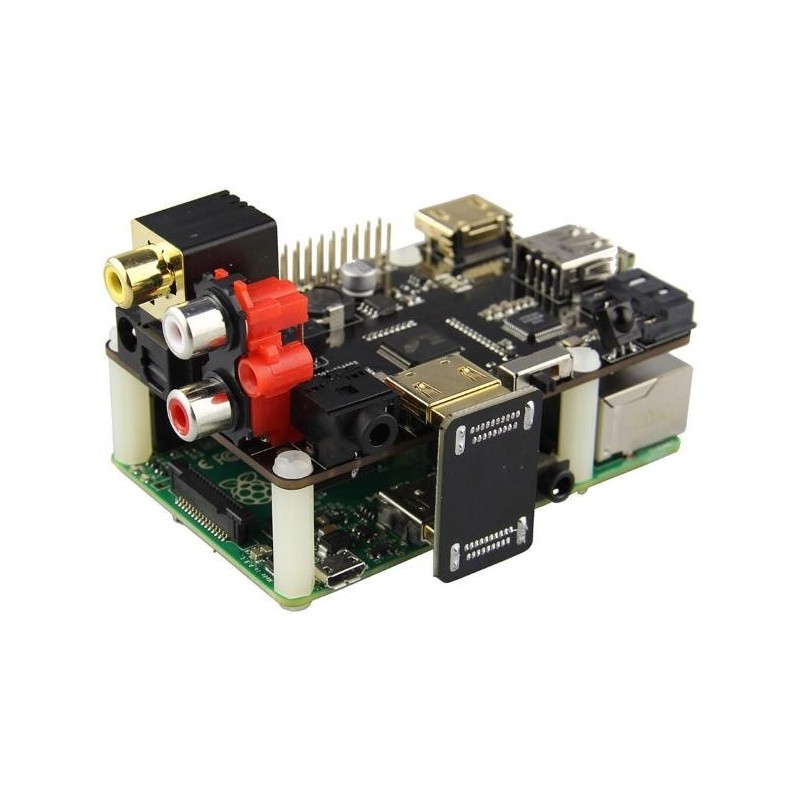

X600 EXPANSION BOARD for Raspberry Pi
 Security policy
(edit with the Customer Reassurance module)
 Delivery policy
(edit with the Customer Reassurance module)
 Return policy
(edit with the Customer Reassurance module)
X600 EXPANSION BOARD  for Raspberry Pi


For Use With 	 - RASPBERRY PI 3 MODEL B / PI 2 MODEL B / PI 1 MODEL B+
Operating System 	  - Raspbian Jessie / OSMC / Openelec / Volumio ...etc
Input Voltage 	 - 6V to 20Vdc converted to 5V, 3A via step-down DC/DC converter to power the Raspberry Pi and SATA device
Audio & Video
 - Allows you to extract audio signals from HDMI of your Raspberry Pi
 - Converts HDMI audio to digital optical or Coaxial or stereo RCA analog
 - The SPDIF optical or Coaxial audio output supports all audio formats up to 5.1CH Dolby Digital 5.1CH / AC3 &  DTS 5.1CH audio
 - Extract digital 2CH PCM stereo audio signal from the HDMI input and convert it to 2CH analog stereo output through its RCA style L/R analog output or earphone jack
 - Provides the Best Flexibility through Three NEW Audio EDID Settings: Pass, 2CH and 5.1CH
 - Maintains surround format when converting to digital optical audio
 - Supports high definition input up to 1080p@(24/60)Hz, output resolution follows input
 - Supports HDMI signal amplification and equalization output for repeater function
 - HDMI output supports all audio formats including more advanced Dolby Digital Plus, PCM5.1CH and beyond
SATA 	 - Allows you to connect SATA devices to your Raspberry Pi
Wireless 	 - Built in IR sensor (38KHz)
Misc 	 - Power output socket
 - Directly connected on top of the Raspberry Pi using the board GPIO header pins
 - No wiring nor soldering is required
 - Duplicated the 40-pin header of the R-Pi in order to support existing expansion boards
Dimensions 	 - 85 x 56mm (Same size as Raspberry Pi)

Notes
1. The RCA L/R output will not have sound if the incoming audio is multi-channel audio (>2CH). Set EDID switch to 2CH for RCA L/T stereo application.
2. TOSLINK optical audio output does not support Dolby Digital Plus (used by Roku and Chromecast) and higher formats, such as HD audio (Dolby TrueHD, DTS-HD Master Audio, PCM5.1 and beyond).
3. Set audio EDID to 5.1CH for DD5.1CH / DTS5.1CH, use optical output to connect to audio receiver for surround sound.
For More Details on PC Click here

For More Details on Portables Click here
X600 EXPANSION BOARD for Raspberry Pi